Realm: how homeowners opt in to text messages
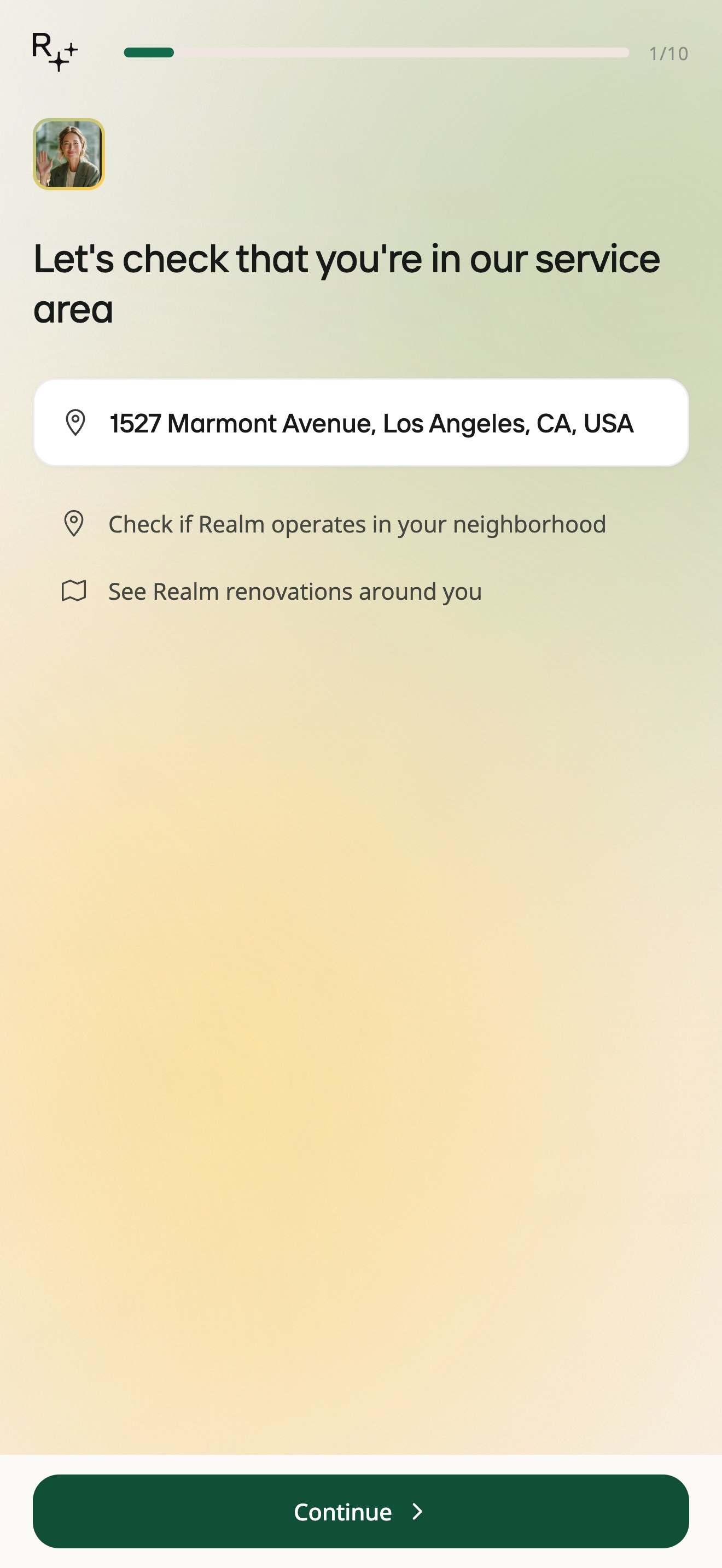
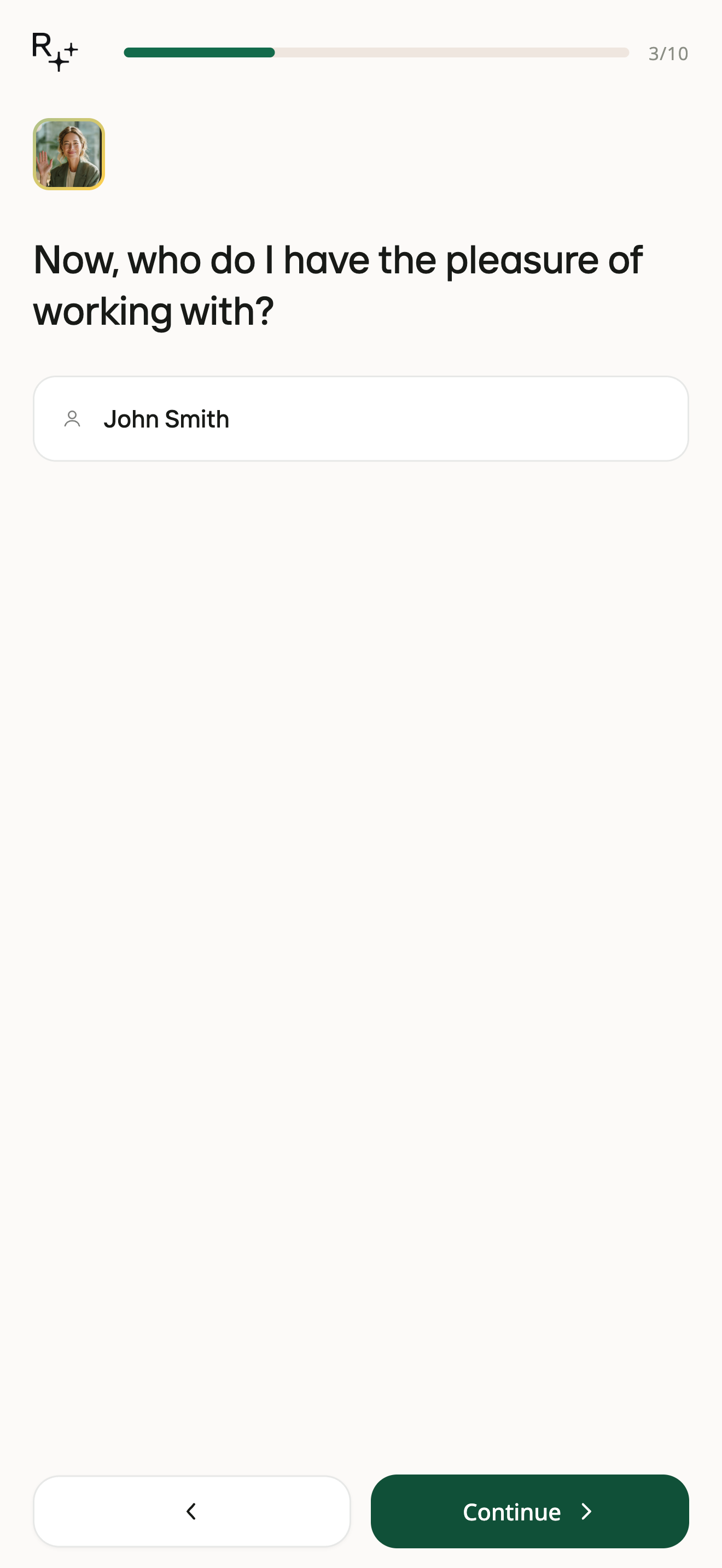
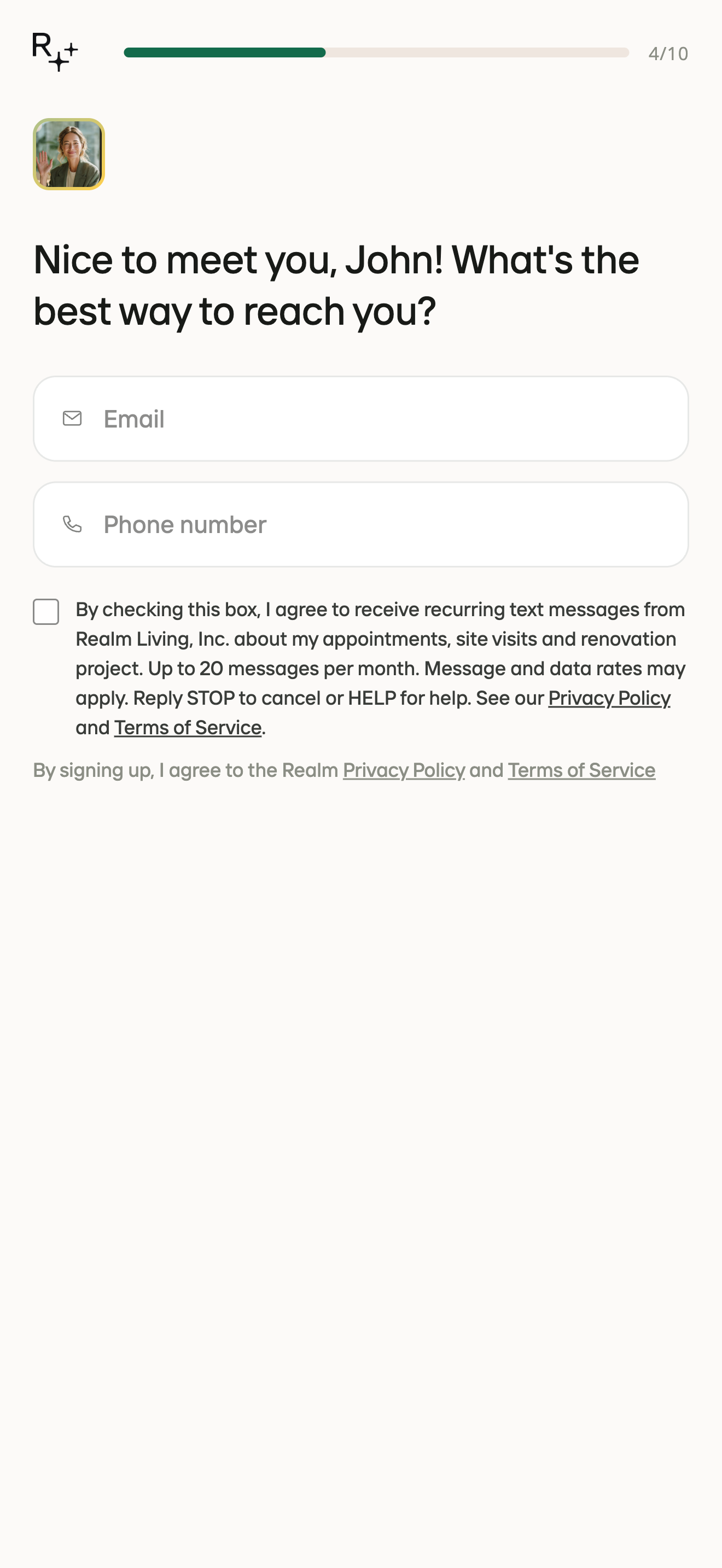
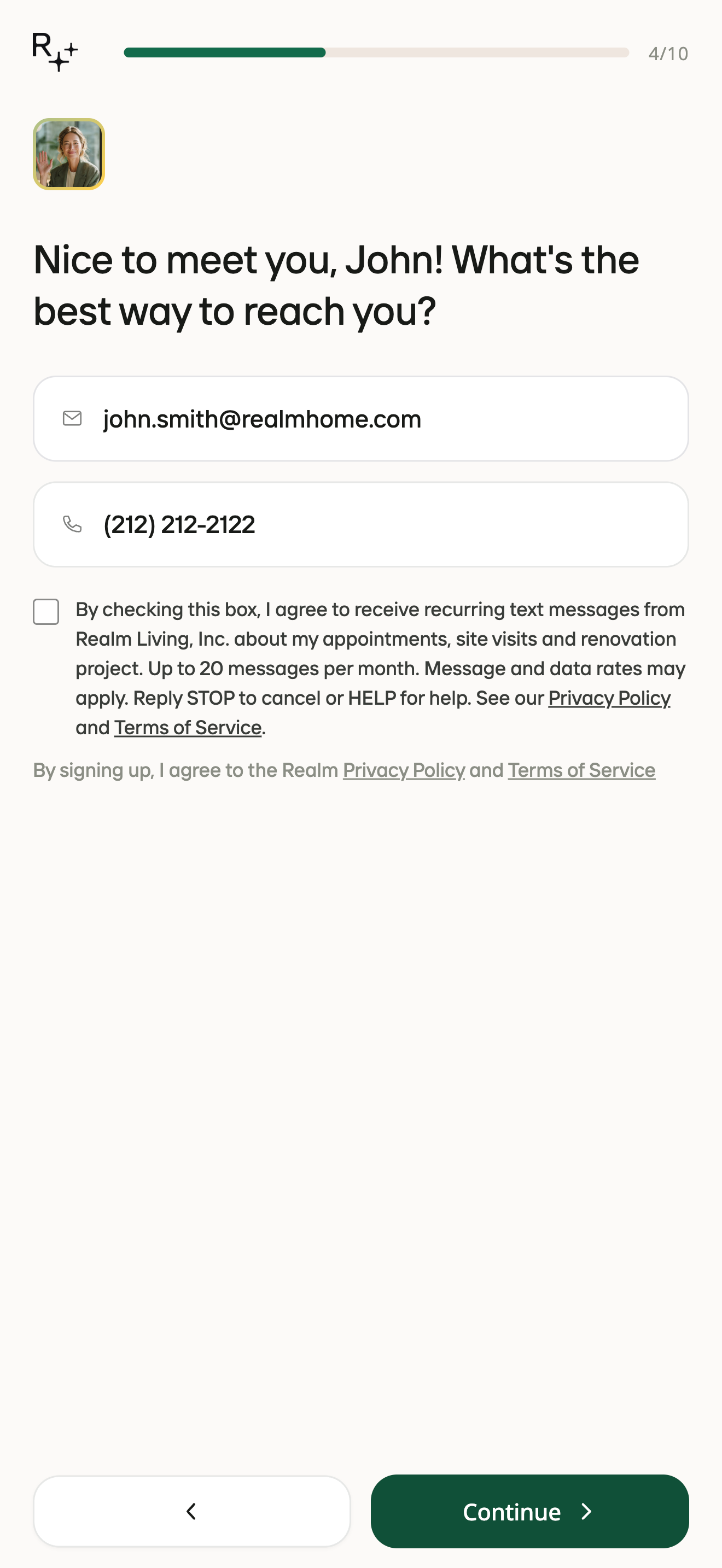
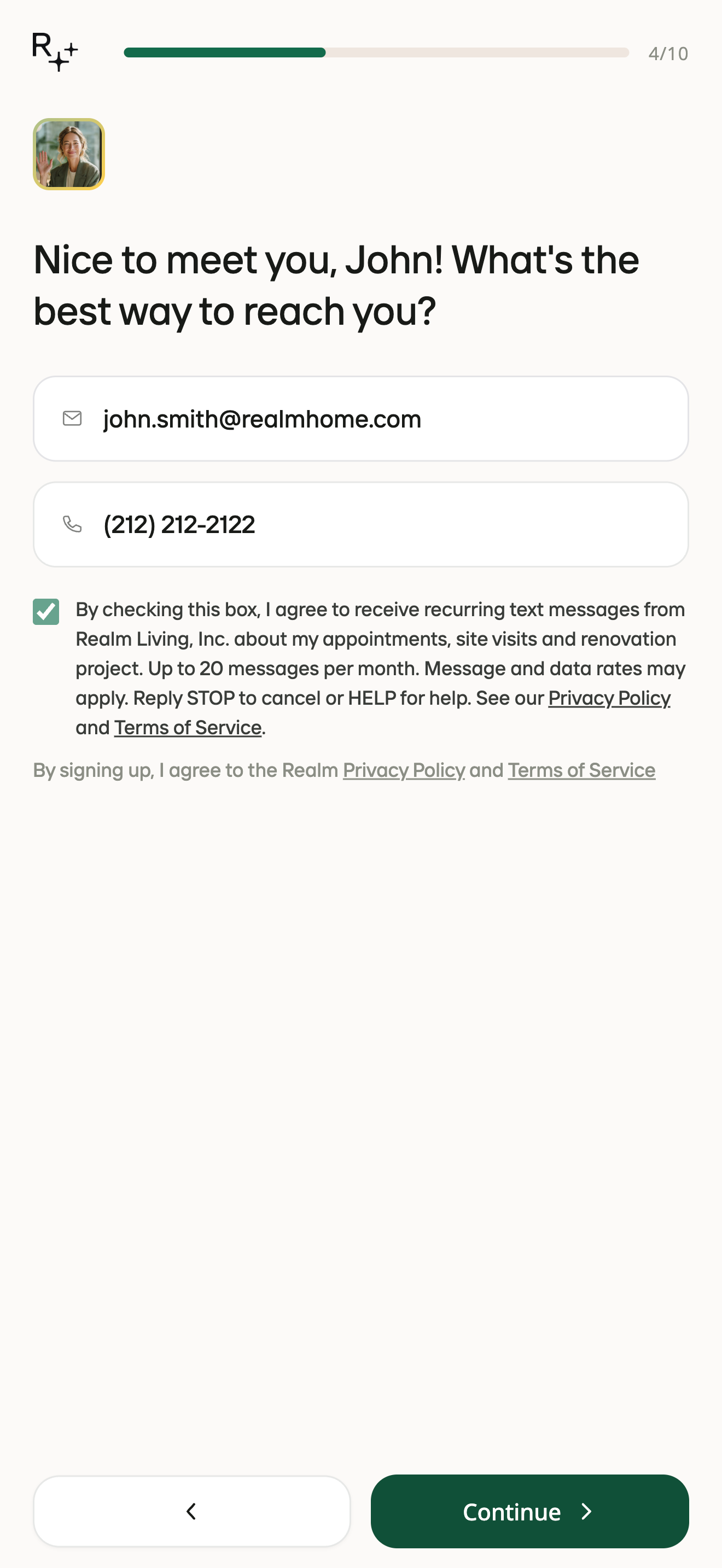
Homeowners sign up for Realm at realmhome.com/start. The flow first checks that the home is in a Realm service area, then asks for the homeowner's name, then for their email and mobile number. Directly under the mobile number field is an SMS consent checkbox. It is unchecked by default and the homeowner actively ticks it to agree; Realm never pre-selects it. Ticking it is optional: the homeowner can leave it unticked and still continue and complete the signup, in which case Realm sends them no text messages. The checkbox is separate from acceptance of the Terms of Service and Privacy Policy, which is the line beneath it. Consent to receive text messages is not a condition of signing up, of using Realm, or of purchasing any Realm goods or services: the signup at realmhome.com/start is free and involves no purchase.
Consent language shown beside the phone field
By checking this box, I agree to receive recurring text messages from Realm Living, Inc. about my appointments, site visits and renovation project. Up to 20 messages per month. Message and data rates may apply. Reply STOP to cancel or HELP for help. See our Privacy Policy and Terms of Service.
When the box is ticked, Realm records the time and this exact sentence on the homeowner's account. Realm sends only transactional messages: appointment and site-visit reminders and messages from the homeowner's assigned Realm advisor about their renovation project, up to 20 messages per month. No marketing. Mobile information is not shared with third parties or affiliates for marketing or promotional purposes.
- Privacy Policy: https://realmhome.com/privacy#sms
- Terms of Service, Realm SMS Program section: https://realmhome.com/terms#sms-program
Step-by-step screenshots